
Smule · Smule, Magic Piano, AutoRap and Style Studio
How do I stop Smule from training on my data?
Starting December 4, 2026, go to Settings → Privacy → AI & Data in the Smule app or on smule.com and turn off Smule’s AI training, licensing to partners, or both. Smule’s updated privacy policy says it may use personal information and user content to train its own AI models, and may license de-identified data to partners for theirs. An opt-out covers recordings you already shared, for later use, and does not undo training or licensing that already happened. The updated terms set the minimum age at 18. Until December 4, the current privacy policy (updated April 10, 2025) stays in effect and does not describe these opt-outs.
What are the steps?
- Starting December 4, 2026, open the Smule app or smule.com and go to Settings, then Privacy, then AI & Data.
- Turn off Smule’s AI training, licensing to partners, or both.
- If you can’t open your account, use Smule’s support form and select “Opt out of AI training or licensing” as the request type.
Items marked Being verified aren’t clearly stated in the official documentation yet. We’re confirming them before adding detail. Spotted a change? Tell us.
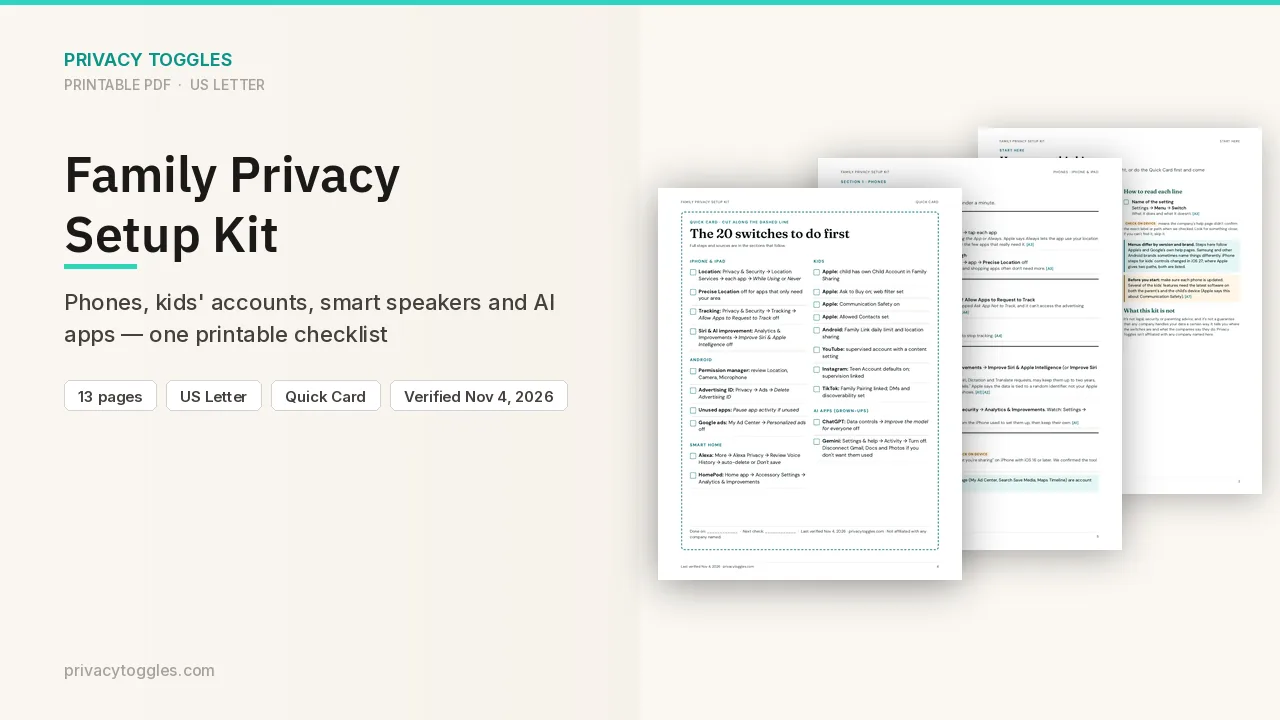
$9 · PDF
Family Privacy Setup Kit
This page covers Smule only. The Family Privacy Setup Kit is a 13-page printable for kids’ devices, smart speakers, every phone in the house, and the AI apps the grown-ups use.
Get the family kit ($9)Does Smule train on my data?
Smule’s updated Privacy Policy was published November 4, 2026 and takes effect December 4, 2026. Until then, Smule says the current Privacy Policy stays in effect. That current policy (updated April 10, 2025) does not describe this AI-training use or these opt-outs.
- The updated policy says Smule may use personal information and User Content to develop, train, test, and improve the artificial intelligence and machine-learning models that power its own services, such as recommendations and pitch and range feedback in Coach.
- The updated terms define User Content as content you create, upload, post, or send, including photographs, text, sound recordings, and audiovisual works.
- Smule says it does not use your recordings to create a voiceprint to identify you.
- The updated Terms of Service, also effective December 4, 2026, say no one under 18 is allowed to use the service. The updated privacy policy says that, as of that date, Smule does not knowingly collect information from anyone under 18, and that if it learns a minor under 18 has an account it takes steps to suspend or terminate the account and to delete that information.
- Whether recordings already on Smule from accounts under 18 are used for training before that deletion: Being verified (not stated on the pages checked).
What does turning it off actually do?
Two separate opt-outs. Smule’s summary of changes says that beginning December 4, 2026, you can opt out of Smule’s AI training, licensing of de-identified data to third parties, or both, under Settings > Privacy > AI & Data in the Smule app or on smule.com.
- Smule’s AI training: whether Smule can use your content to develop AI and other technologies. The privacy policy says this opt-out applies to processing going forward and may not undo processing already completed.
- Licensing to partners: whether Smule can license your content to business partners. The privacy policy says this opt-out applies to all of your User Content, including content you posted before you opted out, but only to de-identified data Smule makes available after it processes the opt-out. It does not affect de-identified data already provided to those partners.
- Smule’s summary says each choice applies to future covered uses, including uses of recordings you shared before opting out, and does not undo training or licensing that already happened.
- If you can’t open your account, Smule’s help article says to use its web form and select Opt out of AI training or licensing as the request type. The summary links that form from “online support form.”
- Starting December 4, you can change either choice later in the same Settings > Privacy > AI & Data place. Smule says the change applies from the time it takes effect.
- Whether those switches are already visible before December 4, and whether each one starts on: Being verified (not stated, and not checked in a live account).
Who else can see my Smule data?
The updated terms say Smule may use and retain personal information and User Content to train the models that power its own services, and may license de-identified data to partners (called Recording Licensees) so they can develop and commercialize AI and machine-learning models. The terms say you can use the choices described in the privacy policy.
- Smule says it takes steps so de-identified data can’t be tied back to you, including contracts that tell partners not to re-identify you and not to use the recordings to create a voiceprint or a faceprint.
- Smule’s help article says that before content is licensed, it removes personal details such as your username, email address, and device ID. Content used for Smule’s own AI training stays linked to your account, and access to it is limited.
- Recordings are public by default. Opting out does not change who can see a recording and does not delete it. A Smule help article updated May 29, 2023, which the opt-out FAQ still links, says there is no way to make the whole account private, and that you change a posted recording’s privacy from the Edit section in the app or on smule.com. Whether a private-account option arrives with the December 4 update: Being verified (not in the updated privacy policy).
How do I delete my Smule data?
To delete your account in the app, open Settings, go to Support, and tap Delete Account. Or use the online support form and select Remove Smule Profile (Account Deletion). Smule’s summary says that if you don’t agree to the updated terms, you can delete the account before December 4, 2026.
- To delete a recording you posted: in the app, open it from your profile, tap the three dots at the bottom right, and select Edit. On smule.com, sign in and use the three dots at the bottom right of the album art. You can’t delete another singer’s recording.
- If you recorded with other people, their performances in that group recording stay after you delete your account.
- Smule’s help article says deleted content and accounts are removed under its usual deletion practices and are left out of future training and future deliveries to partners. Deleting does not undo training or licensing that already happened.
Anything else to know?
The updated privacy policy covers the Smule, Magic Piano, AutoRap, and Style Studio apps. The opt-out path it names is the Smule app or smule.com, not a separate path inside each of those other apps.
- Examples in Smule’s help article of how content might be used: separating vocals from instrumentals, coaching and performance feedback, cleaning up audio such as removing background noise, pitch correction, and music recommendations. Smule says that list is not complete.
- Smule announced the update on its blog on November 4, 2026. The blog describes the same effective date, the same two opt-outs, and the same Settings path.
Which official pages were checked?
- www.smule.com/en/privacy/updated/
- www.smule.com/en/termsofservice/updated/
- www.smule.com/en/summary_of_changes/updated
- www.smule.com/privacy
- blog.smule.com/updated-terms-of-service/
- smule.zendesk.com/hc/en-us/articles/55264815107220-Updates-to-Smule-s-Terms-of-Service-and-Privacy-Policy
- smule.zendesk.com/hc/en-us/requests/new
- smule.zendesk.com/hc/en-us/articles/16043986315924-How-to-manage-your-privacy
- smule.zendesk.com/hc/en-us/articles/16069825911572-How-to-delete-a-recording
This setting has changed before and may again. Email me when it changes.