
OpenAI · Free, Plus and Pro (personal accounts)
How do I stop ChatGPT from training on my data?
Open Settings → Data controls and turn off “Improve the model for everyone.” New conversations won’t be used to train OpenAI’s models (Trusted Access sessions excepted), but they still appear in your chat history; logged-out users can toggle it per browser, and even after opting out, giving thumbs up/down feedback lets the entire conversation be used for training. Archiving or locking a chat doesn’t change whether it can be used for training. You can’t restore a deleted chat, in ChatGPT or through OpenAI Support. Temporary Chats don’t show ads, OpenAI says it doesn’t show ads to accounts it identifies as under 18, and a free no-ads option with limits exists in some regions.
What are the steps?
- Open your account menu and choose Settings.
- Select Data controls.
- Turn off “Improve the model for everyone,” then select Done.
Items marked Being verified aren’t clearly stated in the official documentation yet. We’re confirming them before adding detail. Spotted a change? Tell us.
$9 · PDF
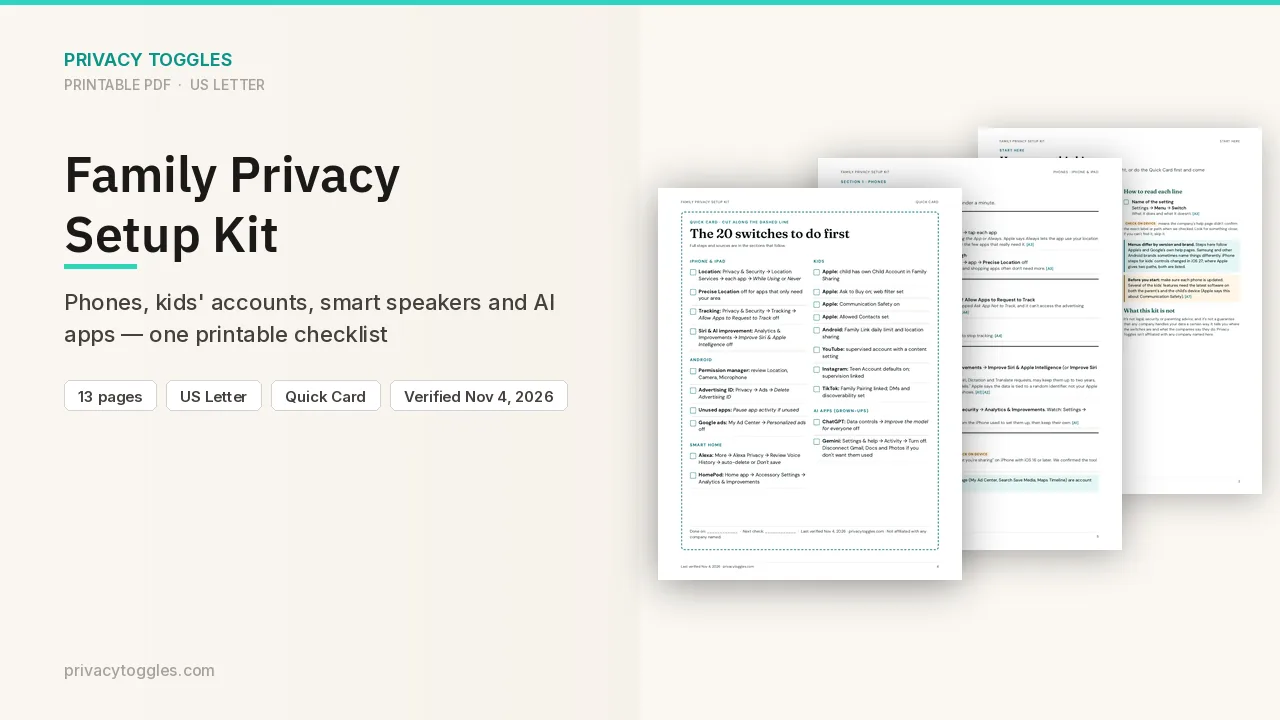
Family Privacy Setup Kit
This page covers ChatGPT only. The Family Privacy Setup Kit is a 13-page printable for kids’ devices, smart speakers, every phone in the house, and the AI apps the grown-ups use.
Get the family kit ($9)What does turning it off actually do?
- New conversations won't train OpenAI models; they still appear in history. Logged-out users can toggle it per browser. Also covers Codex on personal plans; Codex has a separate "Include environments" setting.
- Trusted Access exception: during sessions in programs such as Daybreak Blue on a personal account, OpenAI may use content from those interactions to improve its models even when Improve the model for everyone is off. The setting still applies to other activity outside a Trusted Access session.
- Voice mode has a separate control for sharing data for model training. Exact label and location: Being verified (the data-controls page doesn't name them).
- You can also opt out through the Privacy Portal. Exact control label: Being verified (the help pages mention opting out through the portal but don't quote a label).
- Mobile (iOS/Android): sidebar → profile icon → Settings → Data controls → turn off.
- Even after opting out, giving thumbs up/down feedback lets the entire conversation be used for training.
- Archiving a chat doesn't change whether it can be used for training, and neither does locking it (Locked chats, where available); your Improve the model for everyone setting still applies.
How long does ChatGPT keep my data?
- Regular/archived chats kept until you delete them. Deleted chats: removed from history immediately, permanent deletion scheduled within 30 days, unless the chat was already de-identified and disassociated from your account or must be kept longer for security or legal reasons. You can't restore a deleted chat, in ChatGPT or through OpenAI Support.
- Temporary Chat: not in history, and not used to improve OpenAI's models while it stays temporary. OpenAI may keep a copy for up to 30 days for safety purposes. Before the first message, choose Personalized (can use existing memories, custom instructions and plugins) or Unpersonalized. Neither creates or updates memories. If you save a temporary chat, it becomes a regular chat and your training setting applies.
- Files saved to Library or Space persist after chat deletion; delete them separately. Files in a custom GPT are kept until the GPT is deleted. Project files are kept until the project or the file is deleted.
- Connected app data: if a conversation used data from a connected app, archiving the chat keeps the conversation and any connected-app data retained within it. Deleting the chat removes the conversation and connected-app data retained within that conversation from your account, subject to standard retention and legal obligations. Deleting a chat does not delete the original data from the connected app. Disconnecting an app prevents future access but does not delete past conversations that already used app data.
- If ChatGPT ends a conversation because of a serious concern about violence or harm to others, the conversation is no longer available in your visible chat history. A conversation ended for safety reasons is different from a conversation you delete or archive yourself.
Who else can see my ChatGPT data?
- OpenAI shares content with a select group of service providers (incl. for data annotation and safety) under confidentiality obligations. It says it does not sell your data or share ChatGPT conversations with advertisers, and doesn't share chat content for marketing or advertising.
- Authorized human access is possible: OpenAI advises not to enter sensitive info you wouldn't want reviewed.
- Ads may appear on the Free and Go plans (testing started in the US on February 9, 2026). Plus and Pro don't have ads. Settings → Ad Controls lets you turn off ad personalization, turn off Past chats and memory for ads, and delete ads data (fully removed within up to 30 days). OpenAI says it doesn't share conversations with advertisers. Temporary Chats don't show ads, and OpenAI says it doesn't show ads to accounts it identifies as under 18. Ad Controls are only for Free and Go users where ads are (or will soon be) available. OpenAI also lists a free no-ads option with limits (fewer messages per day, no tools like images); availability varies by region. OpenAI is also testing a multi-image visual ad format during image generation; the ad is clearly labeled and separate from the image you asked ChatGPT to create.
How do I delete my ChatGPT data?
Delete individual chats from the sidebar; full process per the deleting/archiving article above. Settings → Data controls → Delete all chats (also Archive all chats). Account deletion: Settings → Data controls (Free/Go/Plus/Pro); permanent; you can reuse the email after 30 days. Privacy requests: Privacy Portal or dsar@openai.com.
Can feedback still be used for training after I opt out?
Even after opting out, giving thumbs up/down feedback lets the entire conversation be used for training.
Which official pages were checked?
- help.openai.com/en/articles/7730893-data-controls-in-chatgpt
- help.openai.com/en/articles/8983778-chat-and-file-retention-in-chatgpt
- help.openai.com/en/articles/8809935-deleting-and-archiving-chats-in-chatgpt
- help.openai.com/en/articles/7039943-how-openai-handles-data-in-consumer-services
- help.openai.com/en/articles/8914046
- help.openai.com/en/articles/20001047-ads-in-chatgpt
This setting has changed before and may again. Email me when it changes.